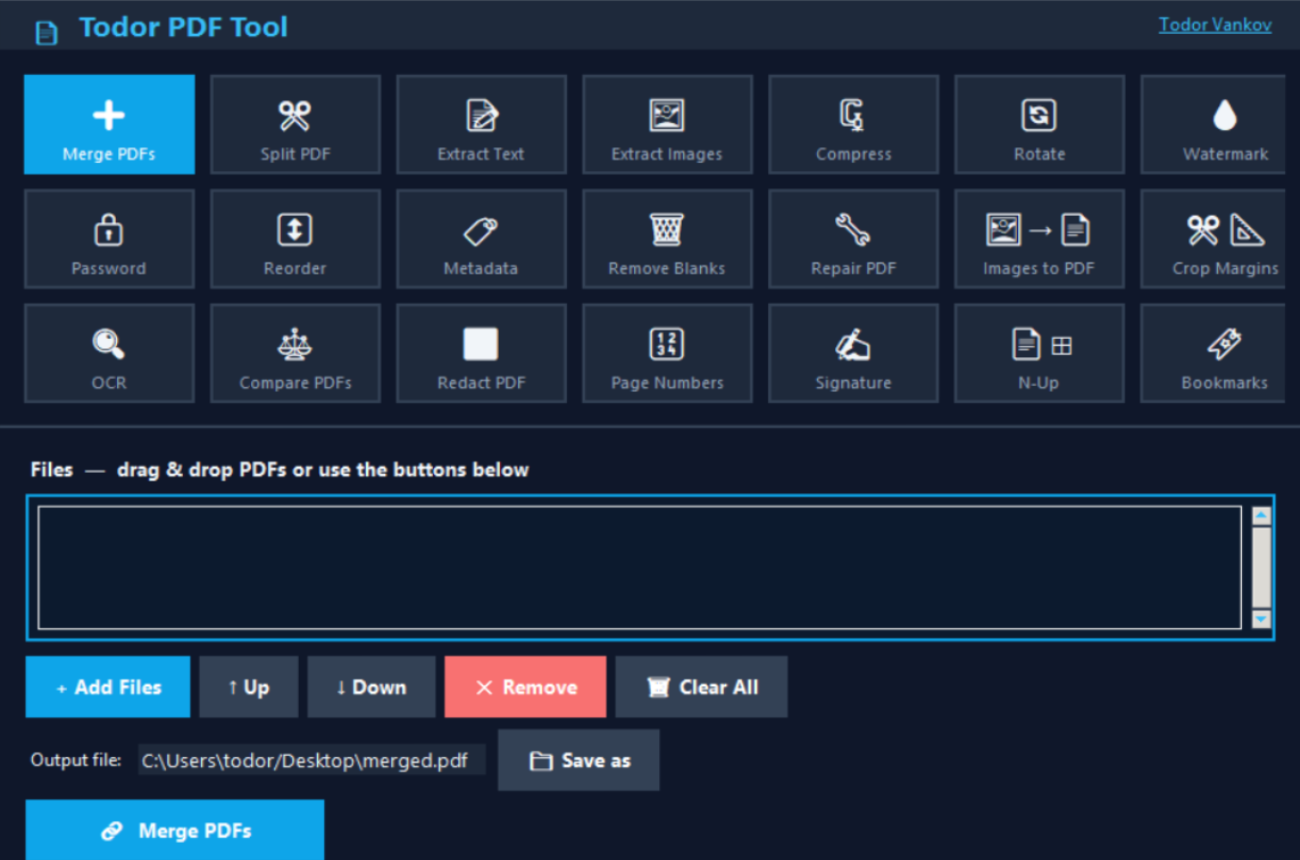
I Built a Free PDF Tool — 21 Features, One App, No Subscription
If you work with PDFs regularly, you know the pain. You need to merge two files, but the free tool has a 2-file limit. You want to add a watermark, but that’s a “premium” feature. You need to extract text, but the website wants your email first.
I got tired of it — so I built my own.

What is Todor’s PDF Tool?
It’s a lightweight desktop application for Windows that handles everything you’d ever want to do with a PDF file. No browser, no cloud upload, no subscription. Your files stay on your computer.
The app is built with Python and runs as a standalone .exe — no installation required.
21 Tools in One App
Here’s everything it can do:
| Tool | What it does | |
|---|---|---|
| ➕ | Merge PDFs | Combine multiple files into one — drag & drop supported |
| ✂ | Split PDF | Extract pages or a specific range |
| 📄 | Extract Text | Export to TXT, Word (.docx) or clipboard |
| 🖼 | Extract Images | Save embedded images as PNG, JPG, TIFF or WebP |
| 🗜 | Compress | Reduce file size by downsampling images |
| 🔄 | Rotate | Rotate pages 90°, 180° or 270° |
| 💧 | Watermark | Add text or image watermarks |
| 🔒 | Password | Encrypt or decrypt PDFs |
| 🔀 | Reorder | Drag pages into any order |
| 🏷 | Metadata | Edit Title, Author, Subject, Keywords |
| 🗑 | Remove Blanks | Auto-detect and delete empty pages |
| 🔧 | Repair PDF | Rebuild corrupted files page by page |
| 🖼→📄 | Images to PDF | Convert image files into a PDF |
| ✂📐 | Crop Margins | Trim margins in millimetres |
| 🔍 | OCR | Extract text from scanned pages |
| ⚖ | Compare PDFs | Side-by-side diff with color-coded changes |
| ⬛ | Redact | Permanently black out sensitive content |
| 🔢 | Page Numbers | Add styled page numbers anywhere on the page |
| ✍ | Signature | Place a signature image on any page |
| 📄⊞ | N-Up | Print 2, 4, 6 or 9 pages per sheet |
| 🔖 | Bookmarks | View, add, delete — or split a PDF by chapter |
Why I Built It
I’m a 3D artist transitioning into data analytics. I work with a lot of documents — reports, invoices, contracts, presentations. Every time I needed a quick PDF operation I ended up on some sketchy website, uploading confidential files to a server I knew nothing about.
Building this tool was also a great project to sharpen my Python skills. It combines UI design, file processing, and real-world problem solving — exactly the kind of project I enjoy.
Tech Stack
- Python — core language
- pypdf — PDF reading and writing
- ReportLab — generating overlays (watermarks, page numbers, signatures)
- Pillow — image processing
- Tesseract OCR — text extraction from scanned pages
- Tkinter — the desktop UI
- PyInstaller — packaging into a standalone EXE
Download
The app is completely free and open source.
View the source code on GitHub
What’s Next?
This started as a personal tool, but I’m happy to share it. If you use it and have ideas for new features — or find a bug — feel free to open an issue on GitHub.